
Full machine diagnosis
Checks licensing services, installed builds, the Current junction, logs, permissions and sign-in prerequisites — without changing anything.
One Windows tool that scans the machine, creates a backup, removes broken licensing leftovers and reinstalls the official Autodesk components — with an Undo path if anything changes.
Built around a safe order: look first, back up second, change third, verify last.
Checks licensing services, installed builds, the Current junction, logs, permissions and sign-in prerequisites — without changing anything.
A layered backup of services, registry keys, hosts entries, environment variables and licensing files, plus a runnable UNDO script.
Removes known non-genuine licensing leftovers, stale services, bad startup entries and fake licence pointers — with a preview mode.
Installs the official ADLS, AdSSO, Identity Manager and WebView2 packages from Autodesk / Microsoft, with an Authenticode check before running anything.
Lists registered Autodesk products and switches a product between user, standalone and network licensing using the official helper.
The updater reads a signed-over-HTTPS manifest from updates.unlockdigital.online, verifies the SHA256 and stages the new build safely.
The interface switches direction and language without changing the workflow.
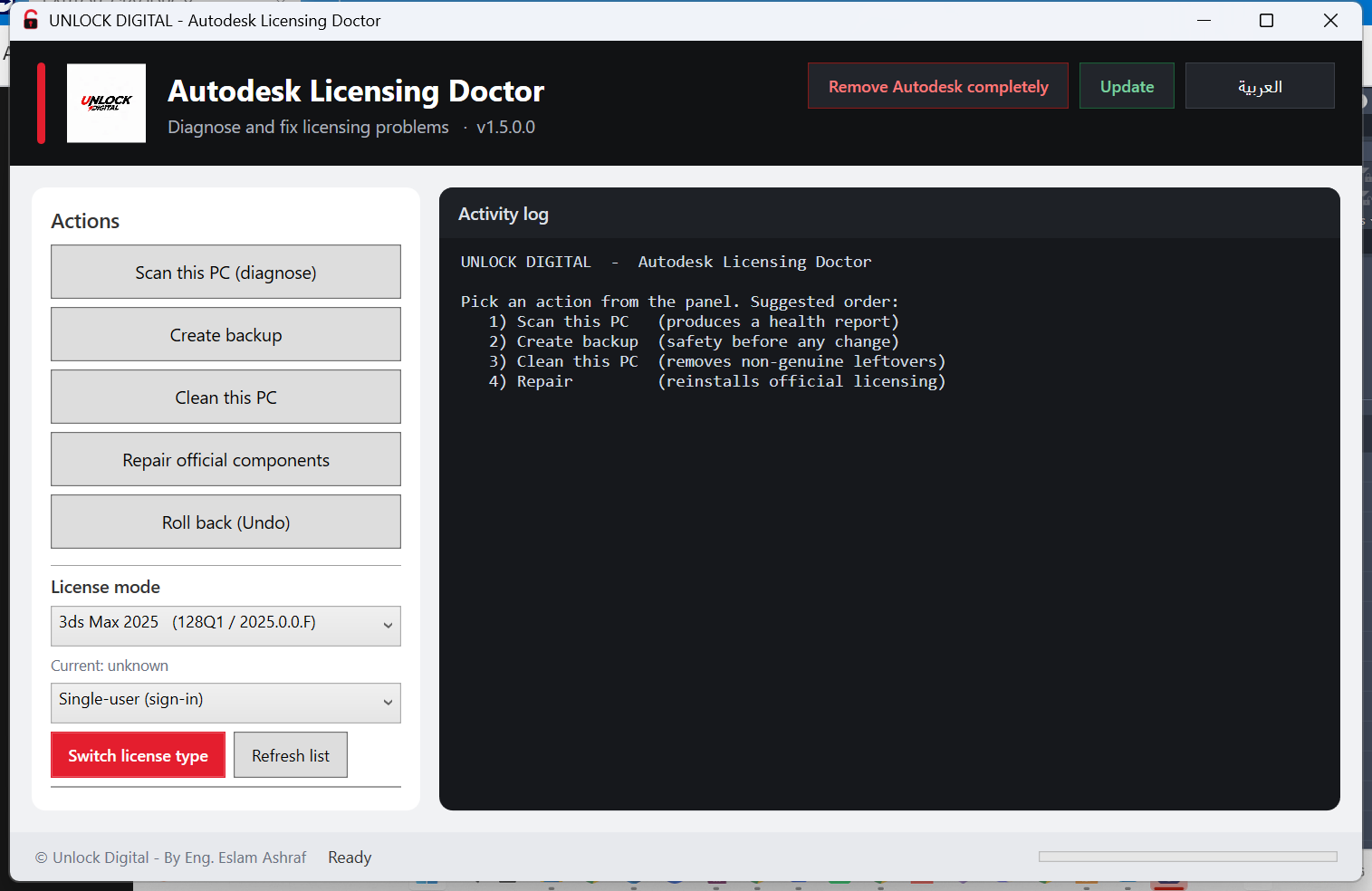
Start with a read-only scan. Nothing is changed until you choose an action and confirm it.
Build a health report: services, builds, Current, logs, permissions and installed products.
Capture the current state and generate an UNDO script before touching anything.
Preview first, then remove the known broken or non-genuine leftovers.
Reinstall the official components, re-point Current and restart the licensing service.
Windows 10/11 · 64-bit · Administrator rights required. The setup is recommended for most users.
Installs the app, creates a Start Menu shortcut and keeps all runtime scripts together.
Download Setup5E98990851114595A7726408F1895C7F7F87294B2CC4C5164B469565FAC40AB4
Unzip anywhere and run the EXE. Keep every file in the folder together.
Download Portable5FCA6E9F39672C8C6E11157D84B4059E7EE56EC4156820D84A9AFF0571B736AC
Already on v1.5.2? Replace the EXE and updater once, then the app can use the HTTPS update source.
Download hotfix93909ED6D8974A3AFB4539A181BFC520FD7300BC39BD0F2B2FE8CADE725ED15C
The current EXE is not code-signed yet. Windows SmartScreen may show a warning; choose More info → Run anyway, and verify the SHA256 above. A signed build is planned.
No. It does not patch Autodesk binaries or generate licences. It removes known non-genuine leftovers and repairs the official licensing stack. A valid Autodesk subscription is still required.
Yes. The repair flow handles the ADLS / AdSSO stack used by 2021–2023 products, including 3ds Max 2023 (product key 128O1). It also detects newer Identity Manager-based products.
Scan, backup and clean work offline. Repair can use installers you already have, or download the official packages from Autodesk / Microsoft when you explicitly allow it. Checking for updates needs internet.
No telemetry. Reports and logs stay on the machine. The updater only requests the HTTPS manifest and, when you press Update, the Portable zip.
Because the EXE is not code-signed yet. Verify the SHA256 against the value on this page, then use More info → Run anyway. The app requests administrator rights because it repairs services and Program Files components.
Use the Update button in the app. It reads https://updates.unlockdigital.online/update.json, compares versions, verifies the SHA256 and stages the new build. You can also download the latest Setup from this page.